
Published on August 20th, 2026
Most small business owners don’t wake up thinking about their servers, firewalls, or backup schedules. They think about customers, cash flow, and the next hire. Technology only grabs attention when something breaks — the email goes down, a file won’t open, or a suspicious login shows up on a Monday morning.
That gap is exactly where IT consulting comes in.
An IT consultant looks at the technology running your business and helps you make better decisions about it. Sometimes that means fixing a specific problem. More often it means stepping back and asking a bigger question: is your technology actually supporting where the business is trying to go, or quietly holding it back?
You don’t need a large company or a big budget to benefit. In fact, small businesses often gain the most, because they rarely have a full-time IT department and can’t afford expensive missteps. A good consultant brings the kind of experience that would otherwise take years — and a few painful mistakes — to build in-house.
This guide explains what IT consulting services for small businesses really include, what they typically cost, how to choose the right provider, and how to avoid the traps that catch owners who’ve never hired one before. The aim is to help you make a confident, informed decision — not to sell you anything.
What Are IT Consulting Services for Small Businesses?
IT consulting services for small businesses are professional advisory and technical services that help a company plan, build, secure, and manage its technology.
A consultant assesses your current systems, identifies risks and gaps, and recommends practical improvements — then often helps carry them out. The work can be strategic (planning your technology roadmap), technical (setting up cloud tools or securing your network), or ongoing (managing and supporting your systems day to day).
For most small businesses, the goal is simple: reliable technology, fewer surprises, stronger security, and IT decisions that match the budget and the direction of the business. What that looks like in practice varies by business size, industry, location, and the tools you already use.
What IT Consulting Services Include
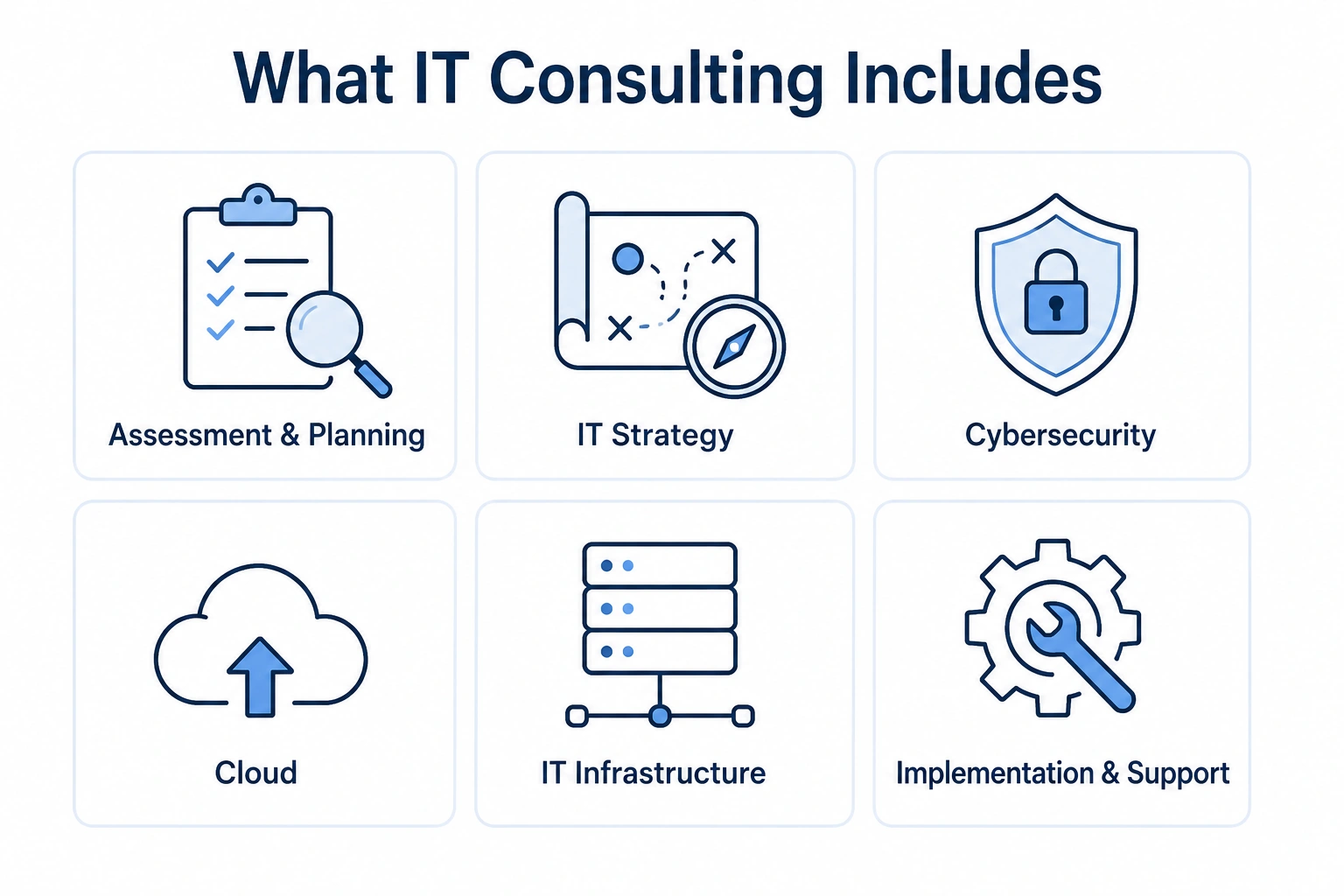
“IT consulting” is a broad term, and that’s part of the confusion. Two providers can both call themselves consultants and do very different work. Here’s what the category usually covers.
Assessment and planning. A consultant reviews your current setup — hardware, software, network, security, and the way your team actually works — and produces a clear picture of what’s working, what’s at risk, and what to prioritize. This is often the starting point for everything else.
IT strategy. Strategy work connects your technology to your business goals. If you plan to double your headcount, open a second location, or move your operations online, your IT needs to be ready for it. A consultant helps you build a roadmap so you’re investing ahead of problems instead of reacting to them.
Cybersecurity consulting. This focuses on protecting your data, systems, and people from threats like phishing, ransomware, and unauthorized access. Work can include reviewing your defenses, setting up protections, training staff, and helping you respond if something goes wrong. (Ransomware is malicious software that locks your files until you pay — one of the most common threats small businesses face.)
Cloud consulting. “The cloud” simply means software and storage you access over the internet instead of running on your own machines. A cloud consultant helps you choose the right tools, move your data safely, control costs, and avoid common setup mistakes that create security or performance issues later.
IT infrastructure. Infrastructure is the foundational technology your business runs on — networks, servers, internet connectivity, devices, and how they all connect. Consultants help design, upgrade, and organize this so it’s reliable and can grow with you.
Implementation and support. Many consultants don’t just advise — they do the work. That can mean setting up new systems, migrating data, configuring security tools, or providing ongoing support after the project ends.
Not every provider offers all of this, and you rarely need everything at once. The right mix depends on your business, your current systems, and the problems you’re trying to solve.
Benefits for Small Businesses
Hiring outside IT help isn’t only about fixing what’s broken. Done well, it changes how the business runs.
Access to expertise you couldn’t afford full-time. A skilled IT professional is expensive to employ, and one person rarely covers security, cloud, networking, and strategy equally well. Consulting gives you a team’s worth of knowledge without a full-time salary.
Fewer disruptions. Downtime costs money and frustrates customers. Proactive consulting catches problems — aging hardware, weak backups, misconfigured security — before they turn into an outage.
Stronger security. Small businesses are frequently targeted precisely because attackers assume their defenses are weak. A consultant helps close the obvious gaps and build habits that reduce your risk.
Smarter spending. It’s easy to overspend on tools you don’t need or underspend on the ones that matter. An objective advisor helps you put money where it counts and cut what’s wasteful.
Room to focus. Every hour you or your staff spend wrestling with technology is an hour not spent on the business. Outsourcing that load frees your team to do what they’re actually good at.
Support for growth. As you add people, locations, or services, your technology has to keep up. A consultant helps you scale deliberately instead of patching things together under pressure.
The size of these benefits varies. A five-person shop and a fifty-person firm will experience them differently, and results depend on the provider, the scope of work, and how well you communicate your goals.
Common IT Problems IT Consultants Solve

If any of these sound familiar, you’re not alone — they’re some of the most common reasons small businesses bring in outside help.
- “Our systems keep going down.” Recurring outages usually point to deeper issues: aging equipment, poor network design, or unresolved conflicts between tools.
- “We’re worried about getting hacked.” Many owners know their security is thin but aren’t sure where to start. A consultant translates vague worry into a concrete plan.
- “We’re not sure our backups actually work.” Plenty of businesses have backups that have never been tested — and discover during a crisis that they don’t restore properly.
- “We’re moving to the cloud and it’s a mess.” Cloud migrations go wrong when they’re rushed. Data gets duplicated, permissions get confused, and costs creep up.
- “Our technology can’t keep up with growth.” Systems that worked at ten employees often strain at thirty. Consultants help you rebuild for the size you’re becoming.
- “We don’t know what we’re paying for.” Overlapping subscriptions, unused licenses, and mystery invoices add up. A review often uncovers real savings.
- “Nobody here really owns IT.” When technology is everyone’s side job, small issues get ignored until they become big ones.
A good consultant starts by understanding which of these problems is actually hurting you most, rather than selling a fix before diagnosing the cause.
Types of IT Consulting Services
It helps to know the main categories, because providers tend to specialize. Here’s how the common types compare.
| Type of Service | What It Focuses On | Best For |
|---|---|---|
| IT strategy consulting | Long-term technology planning tied to business goals | Businesses planning to grow, change, or modernize |
| Cybersecurity consulting | Protecting data, systems, and staff from threats | Any business handling sensitive or customer data |
| Cloud consulting | Choosing, migrating to, and managing cloud tools | Businesses moving online or reducing on-site hardware |
| Infrastructure consulting | Networks, servers, devices, and connectivity | Businesses with unreliable or outdated systems |
| Managed IT services | Ongoing day-to-day management and support | Businesses that want IT managed for them day to day |
| Outsourced IT support | Help desk and troubleshooting for staff issues | Businesses needing responsive, on-call assistance |
A few of these terms overlap in everyday use, so it’s worth clarifying two of them.
Managed IT services means a provider takes ongoing responsibility for running and monitoring your technology, usually for a recurring fee. It’s less about one-time advice and more about continuous care.
Outsourced IT support usually refers to the help-desk side — the people your staff contact when something isn’t working. Many providers bundle support into a broader managed or consulting relationship.
The right combination depends on whether you need a plan, a project, ongoing management, or all three. Some businesses hire a consultant for strategy, then keep a managed provider for daily operations.
How Much Does IT Consulting Cost?
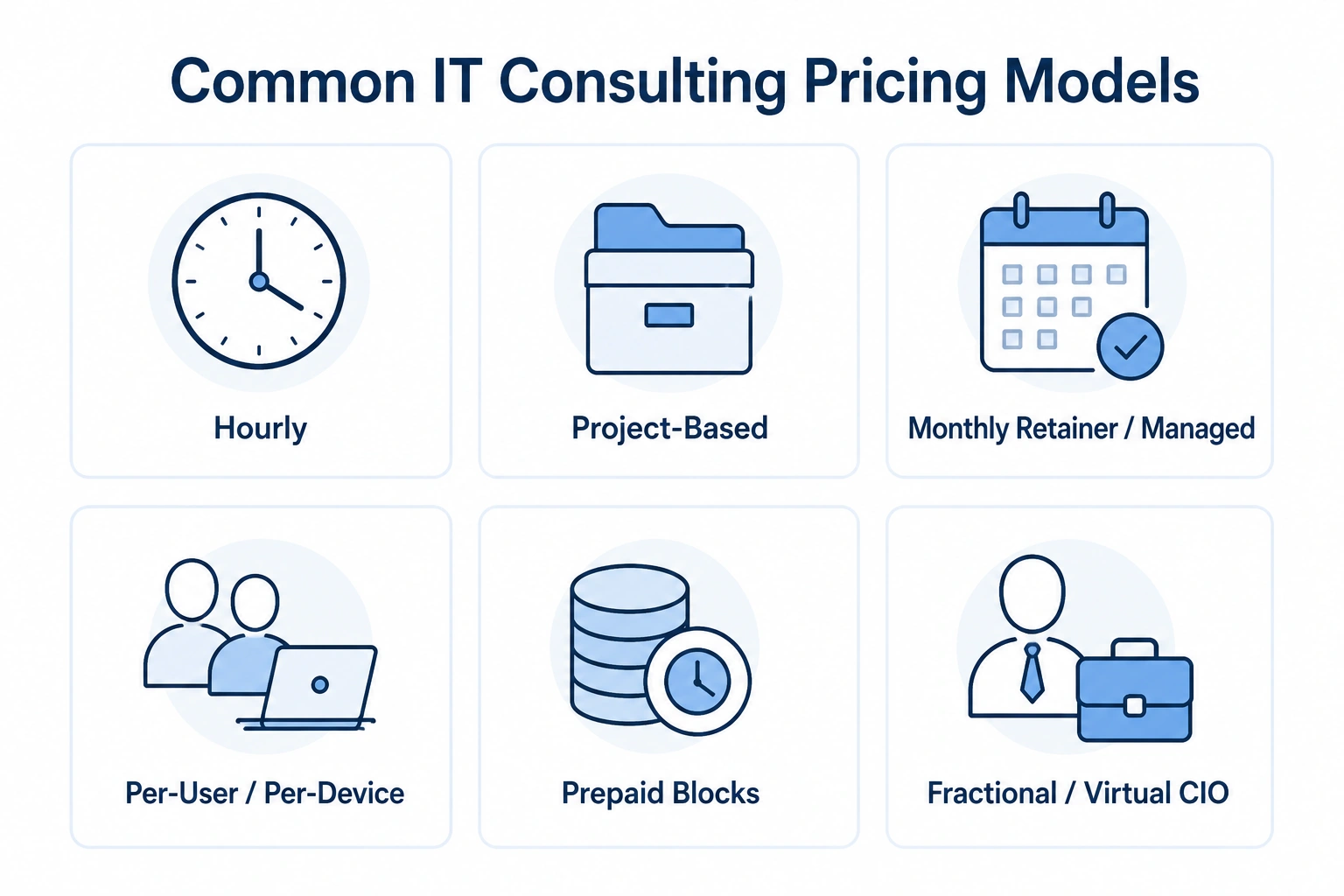
This is the question everyone asks, and the honest answer is: it depends. Pricing varies widely by provider, location, the complexity of your systems, the expertise involved, and the scope of the work. Anyone who quotes a firm price before understanding your situation should raise a flag.
What’s more useful than a number is understanding how consultants charge, so you can compare quotes fairly.
| Pricing Model | How It Works | Often Used For |
|---|---|---|
| Hourly | You pay for time spent | Small, one-off tasks or troubleshooting |
| Project-based | A fixed price for a defined project | Migrations, security setups, upgrades |
| Monthly retainer / managed | A recurring fee for ongoing service | Continuous management and support |
| Per-user or per-device | A set fee for each employee or device covered | Predictable, scalable managed services |
| Prepaid blocks | You buy a bundle of hours in advance | Occasional support at a discounted rate |
| Fractional / virtual CIO | Part-time senior IT leadership | Strategy without a full-time executive |
(“Virtual CIO,” or vCIO, means a senior IT advisor who guides your strategy part-time — useful when you need executive-level thinking but not a full-time hire.)
What drives the price up or down:
- The size and complexity of your systems
- How much ongoing support you need versus one-time work
- The level of security or compliance required in your industry
- Your location and local market rates
- The provider’s experience and specialization
- Whether hardware, software, or licensing is included in the fee
Because these factors vary so much, the smartest move is to get detailed written quotes from two or three providers and compare exactly what’s included.
Look closely at what happens outside the agreement — after-hours support, emergency response, and add-on costs are where surprises tend to hide. A slightly higher quote with clear, complete coverage often costs less than a cheap one full of exclusions.
Treat any figures you find online as rough context only. Real pricing depends on your specific business, and the only accurate number is the one in a quote written for you.
How to Choose an IT Consulting Company

Choosing a provider is as much about fit as it is about skill. The best firm on paper isn’t always the right one for your business. Here’s what to weigh.
Relevant experience. Look for a provider who has worked with businesses of your size and, ideally, your industry. A consultant who understands a medical office, a law firm, or a retail shop already knows the common pitfalls in that world.
Clear communication. Good consultants explain technology in plain language and listen before recommending. If someone talks over your head or dismisses your questions early on, that pattern rarely improves.
A structured approach. Reliable providers assess before they prescribe. Be cautious of anyone recommending expensive purchases before they understand your setup.
Security awareness. Even if you’re not hiring specifically for security, your provider should take it seriously by default. Ask how they protect their clients and their own systems.
Responsiveness. When something breaks, how fast do they respond, and through what channels? Clear expectations here matter more than almost anything else in a long-term relationship.
References and reputation. Ask to speak with current clients. Independent reviews and referrals from other business owners carry more weight than a polished website.
Transparent agreements. Read the contract carefully. Understand what’s included, what costs extra, how long you’re committed, and how to leave if it isn’t working.
Fit matters because you may work with this provider for years. Take the time to talk to more than one, and trust how the conversations feel — not just the credentials.
Questions to Ask Before Hiring
Bring these to your first serious conversation. The answers reveal a lot about how a provider works.
- Have you worked with businesses like mine? Relevant experience shortens the learning curve.
- How do you charge, and what’s included? Get the pricing model and the boundaries in writing.
- What happens when something breaks after hours? Emergencies don’t keep business hours.
- How quickly do you typically respond to issues? Ask about their expected response and resolution times.
- Who will actually handle my account? Make sure you know the people, not just the brand.
- How do you approach security and backups? Their answer shows how seriously they take risk.
- What does onboarding look like? A clear starting process signals an organized provider.
- Will I own my accounts, data, and passwords? You should always retain control of your own systems.
- What happens if we decide to part ways? Understand the exit terms before you sign, not after.
- Can I speak with a couple of current clients? A confident provider will say yes.
If a provider gets defensive about reasonable questions like these, take note. How they handle the sales conversation often previews how they’ll handle the relationship.
IT Consulting vs. Managed IT Services
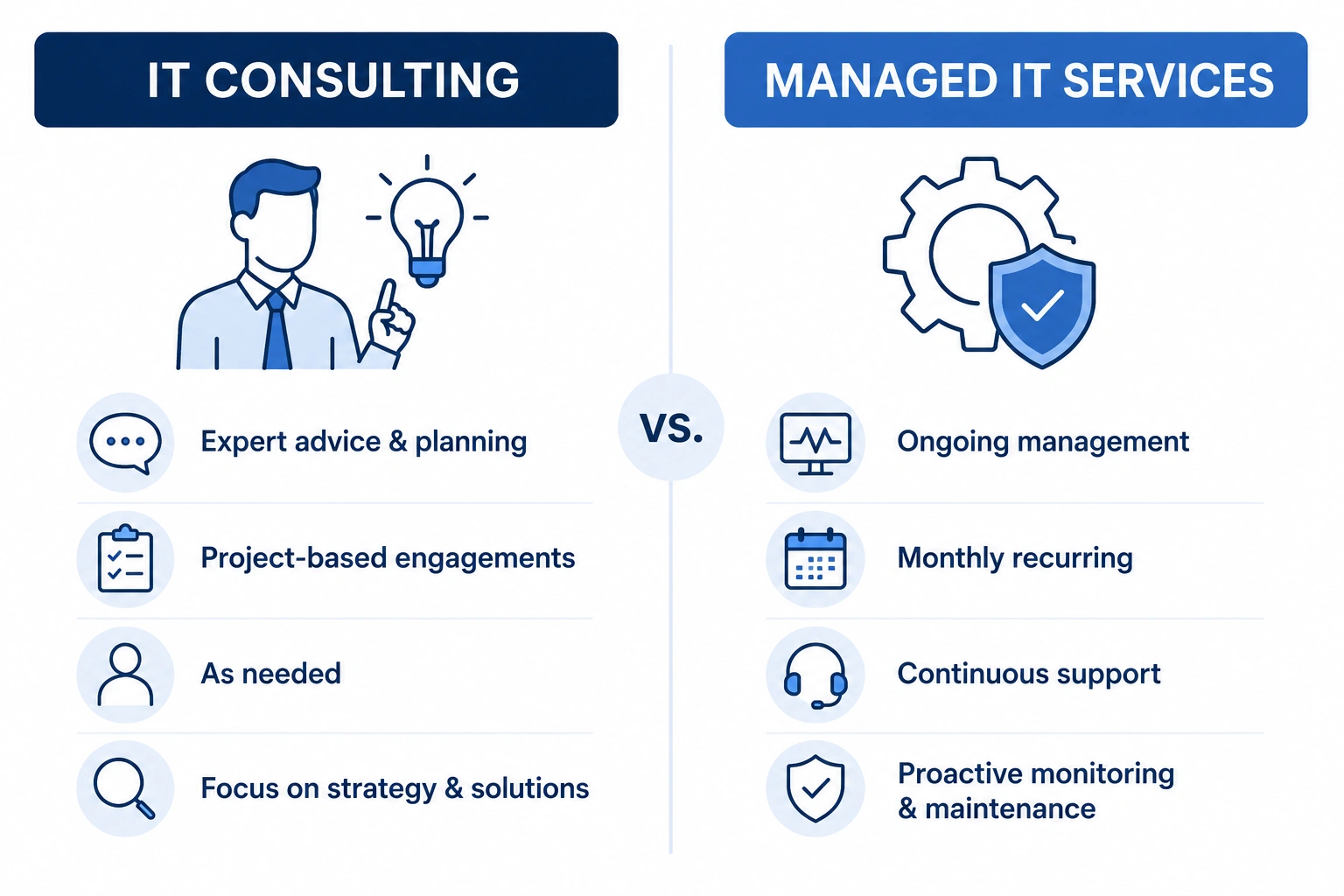
These two terms get used interchangeably, but they’re not the same thing — and knowing the difference helps you buy the right service.
| IT Consulting | Managed IT Services | |
|---|---|---|
| Main purpose | Advice, planning, and specific projects | Ongoing management of your technology |
| Time frame | Often project-based or as-needed | Continuous, month to month |
| Typical output | Recommendations, strategy, implementations | Day-to-day operations, monitoring, support |
| Billing | Hourly, per project, or retainer | Usually a recurring monthly fee |
| Best when | You need direction or a specific fix | You want IT handled for you continuously |
Think of it this way: a consultant helps you decide what to do and often helps you do it. A managed services provider (MSP) keeps everything running once it’s in place.
Many small businesses need both, and the line between them blurs in practice. A single provider might advise you on strategy, run a project to modernize your systems, and then manage those systems going forward. That’s fine — just make sure you know which service you’re paying for at each stage, and what each one includes.
The right choice depends on where you are. If you’re facing a big decision or a specific problem, start with consulting. If your technology mostly works but nobody’s minding it, managed services may be the better fit.
Common Mistakes to Avoid
Owners hiring IT help for the first time tend to trip over the same handful of mistakes. A little awareness goes a long way.
Waiting for a crisis. The most expensive time to hire help is during an emergency. Proactive planning is almost always cheaper than reactive cleanup.
Choosing on price alone. The cheapest quote often excludes the things that matter most — response times, security, and after-hours support. Compare value, not just cost.
Skipping the contract details. Vague agreements lead to surprise bills and awkward exits. Read the fine print, especially around what’s not included.
Giving up control of your own systems. Always retain ownership of your domains, accounts, data, and administrative passwords. If a provider resists this, walk away.
Treating security as optional. “We’re too small to be a target” is a costly assumption. In practice, small size often makes a business more appealing to attackers, not less.
Not testing backups. A backup you’ve never restored is a guess, not a safety net. Make sure recovery actually works before you need it.
Failing to communicate goals. A consultant can only align technology to your business if they understand where you’re headed. Share your plans, not just your problems.
Ignoring your team. The people using the systems every day know where the friction is. Involve them, and adoption gets easier.
Avoiding these traps won’t guarantee a perfect experience, but it dramatically improves your odds of a productive, lasting relationship.
FAQs
1. What does an IT consultant actually do? An IT consultant assesses your technology, identifies risks and opportunities, and recommends practical improvements — often helping carry them out. The work ranges from strategy and security to cloud and infrastructure, depending on your needs.
2. Does my small business really need IT consulting? If technology is slowing you down, worrying you, or holding back growth, outside help is worth considering. Many small businesses benefit simply because they lack in-house expertise and can’t afford avoidable mistakes.
3. How is IT consulting different from managed IT services? Consulting focuses on advice, planning, and projects. Managed IT services focus on ongoing, continuous management of your systems. Many businesses use both, sometimes from the same provider.
4. How much does IT consulting cost for a small business? It varies widely by provider, location, scope, and complexity, so there’s no single answer. Consultants charge hourly, per project, or on a recurring basis. The best approach is to get detailed quotes and compare exactly what’s included.
5. What’s the difference between IT consulting and IT support? Support fixes problems as they arise — the help desk you call when something breaks. Consulting is more strategic, focused on planning and improving your technology overall. They often work together.
6. Can an IT consultant help with cybersecurity? Yes. Cybersecurity consulting is a common service that includes reviewing your defenses, setting up protections, training staff, and helping you respond to incidents. The right scope depends on your industry and data.
7. Should I move my business to the cloud? Often, but not always. The cloud can reduce hardware costs and improve flexibility, though it isn’t right for every workload. A cloud consultant can assess your situation before you commit.
8. How do I know if an IT consulting company is trustworthy? Look for relevant experience, clear communication, transparent pricing, and references from real clients. Trust how the early conversations feel, and be wary of anyone recommending big purchases before understanding your business.
9. How long does IT consulting take? It depends entirely on the work. A focused assessment might take days, while a migration or security overhaul can run weeks or months. Ongoing arrangements continue as long as you need them.
10. Do I keep control of my own systems and data? You should — always. Reputable providers ensure you own your domains, accounts, data, and passwords. If a company resists giving you that control, treat it as a warning sign.
Conclusion
Technology quietly shapes almost everything a small business does — how you serve customers, protect your data, and plan for what’s next. When it works, you barely notice it. When it doesn’t, it can bring the whole operation to a halt.
IT consulting exists to keep you on the right side of that line. A good consultant helps you spend wisely, close security gaps, and build technology that grows with you instead of against you. You don’t need to become an expert yourself. You need a trustworthy advisor who explains things clearly and puts your interests first.
Start small if you need to. Bring in a consultant to assess where you stand, get honest recommendations, and decide what to tackle first. The goal isn’t the fanciest systems — it’s technology you can rely on, so you can get back to running your business.
Take your time choosing, ask direct questions, and pick a partner who listens. That single decision often pays off for years.
Costs, services, and requirements described here vary by business, location, provider, and technology. Use this guide as a starting point, and confirm specifics with providers before making decisions.

Team Newszii is composed of individuals with professional backgrounds in content writing. We specialize in writing on a variety of topics including Lifestyle, Entertainment, Humor, Women, Food, Travel, Technology, and Blockchain Technology. Our team is driven by a passion for creating unique, accurate, and engaging content.