Published on November 6th, 2026
One cloud workspace connects Telegram channels and TradingView alerts to MT4, MT5, cTrader, DXTrade, and TradeLocker.
trade2sync, the cloud-based trade copier (formerly Telegram Signal Copier), now brings Telegram signal copying and TradingView alert automation together in one platform.
Traders can connect their Telegram channels, TradingView alerts, and broker accounts from one workspace. They can set lot sizes, risk rules, and trade management settings in one place. trade2sync then reads incoming signals and sends orders to connected trading accounts.
The entire process runs in the cloud. Traders do not need a VPS, an Expert Advisor (EA), or a desktop app to keep the system running.
Why Traders Need One Trade Copier
To manage multiple trade orders and automate execution, nothing can beat a trade copier. Many traders use more than one signal source. They may follow a paid Telegram channel, join free trading groups, and use TradingView indicators at the same time.
Managing these sources with separate tools can make trading harder. Traders may need one tool for Telegram signals, another for TradingView alerts, and a VPS to keep everything running.
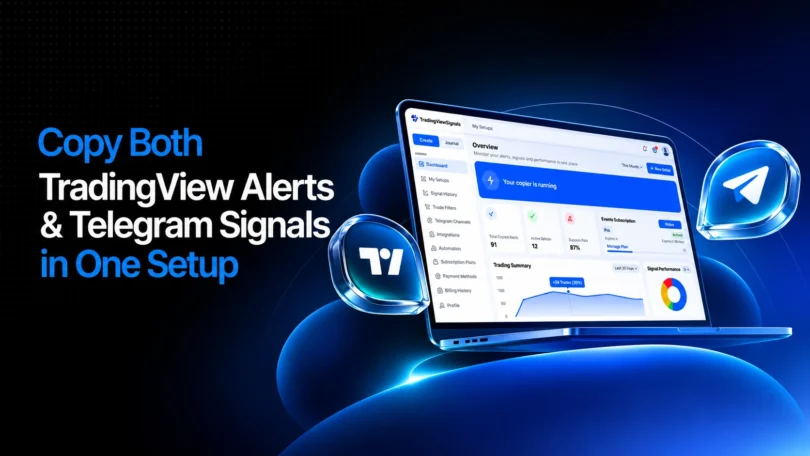
trade2sync brings these tasks together in one cloud platform. Traders can connect their trading sources and broker accounts, manage their settings, and track copied trades from one dashboard.
One Platform for Telegram and TradingView
trade2sync uses one workspace to manage Telegram signals and TradingView alerts. Traders can apply their risk and trade management features for each connected source.
The platform claims its ParseX AI technology can read different Telegram signal formats and TradingView alert messages, and detect trading elements like pair, direction, and SL-TP (Stop-Loss, Take-Profit).
trade2sync’s TradingView webhook gives traders one URL to connect alerts from paid indicators, invite-only scripts, and custom Pine Script strategies. It supports plain text, multi-line messages, and JSON formats, provided the alerts contain the required trade details.
Key trade2sync features include:
- Flexible lot sizing: Set fixed lots, dynamic lots, or risk-based trade sizes for connected accounts.
- Automatic trade management: Apply break-even, trailing stops, and partial closes.
- Risk controls: Use session filters, news filters, and other trade rules.
- AI signal reading: Read Telegram text and image signals without Keyword configuration or mapping.
- TradingView webhook: Send supported TradingView alerts to connected broker accounts using one webhook URL.
- Multi-source copying: Manage signals from several Telegram channels and TradingView alerts in one workspace.
- Multiple platform support: Execute trades on MT5, MT4, cTrader, DXTrade, and TradeLocker.
- Lowest latency: copied trades are placed within 15 seconds of latency, routed globally.
This setup helps traders manage different trade signal sources without switching between multiple copying tools.
A Dashboard to Track Every Trade
trade2sync includes a dashboard where traders can view signals, orders, and account activity in one place.
The dashboard includes:
- Signal history: View each received and executed signal and its status in real time.
- Trade details: Check take-profit levels, lot sizes, entry prices, and broker order IDs.
- Trade timeline: Follow order activity, including execution, stop-loss changes, and take-profit results.
- Signal reports: Review received, executed, rejected, and filtered signals with reasoning.
- Channel performance: Filter trade history by Telegram channel or time period to review results for trade analysis and complete logging.
- Saved settings: Export, import, and reuse trading configurations without sharing broker login details.
These settings help traders review how their signals are processed and how their trading rules work across accounts for a strategic and consistent trading experience.
Manage Copy Trading From iPhone and Android
trade2sync also offers native mobile apps for iOS and Android. So traders can manage copy trading directly from their phones and get a smarter mobile trading experience.
Traders can connect broker accounts, select Telegram channels, change copying settings, and pause automation from their phones. The app also sends push notifications when trades are processed. Since the copier runs in the cloud, losing a phone connection does not stop signal processing.
The service offers different plans with features for different trading needs. Visit the trade2sync pricing page to compare plans and check current offers.
About trade2sync
trade2sync is a cloud-based trade automation platform for traders who use Telegram signals and TradingView alerts. The company started in 2019 as Telegram Signal Copier and relaunched as a mobile-first cloud copy trading tool in 2026. According to the company, more than 90,000 traders across 100+ countries use its platform for copy trading.